
Download Peryagame Philippines at Casino Plus: Where Is the Game Library Located Inside the Casino Plus App After Installation?
Download Peryagame Philippines at Casino Plus: Where Is the Game Library Located Inside the Casino Plus App After Installation?
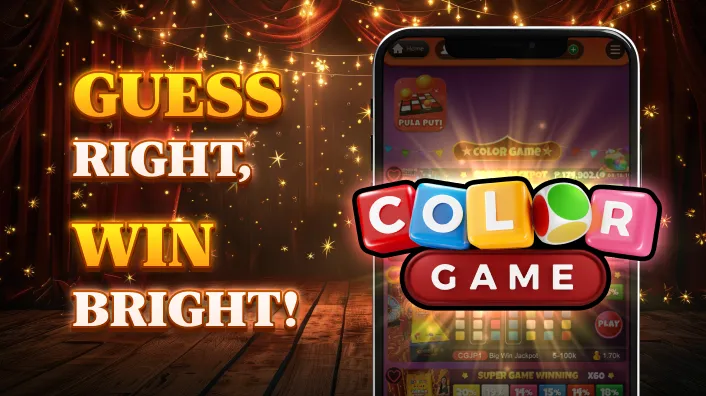
After you download peryagame Philippines at Casino Plus app on your device, the game library is located in the top navigation bar on the home screen. It is organized into scrollable category tabs: ALL GAMES, Baccarat 1%, 98%, Live Games, Slot Machines, Slot Games, Poker, Fishing, and Sports. A second-row provider filter bar sits directly below it. To reach Color Game and other perya-inspired games, tap the Game Show filter in that second row.
🧾 Section Highlights
- Game Library Location After Installation
- Top Navigation Bar Categories
- Games Available Inside the Casino Plus App Library
- How to Navigate to a Specific Game
- App Library vs Browser Version
- Steps to Start Playing After Finding a Game
- Responsible Gaming at Casino Plus
- Closing Thoughts
What Screen Does the Game Library Appear On After You Download Peryagame Philippines and Open the App?
After installation, the Casino Plus app opens to the home screen. The game library is accessible from the main navigation tabs at the top of the screen, organized by game type.

The Game Show tab is where perya-style and live entertainment games are located. After you download peryagame Philippines and open Casino Plus, tap the Game Show tab in the second row of navigation filters to access Color Game, Pula Puti, and similar perya-inspired titles.
What Tabs Appear in the Top Navigation Bar of Casino Plus App?
The top navigation bar in the Casino Plus app organizes the game library into the following categories, all visible after installation:
- ALL — displays the complete game library across all categories in a single scrollable grid
- Baccarat 1% — dedicated section for Baccarat variants with a 1% commission structure
- 1.5%+1.5% — Baccarat variants using a split commission format
- 98% — games carrying a published 98% RTP, clearly labeled within the library for player visibility
- Live Games — professional live dealer tables streamed in real time with human dealers
- Slot Machines — electronic slot machine format titles
- Slot Games — video slot game titles organized separately from slot machine formats
- Poker — poker format card games available in real money mode
- Fishing — fishing-style arcade games where players shoot targets to earn payouts
- Sports — sports betting and sports-themed game formats available through the platform
The 98% RTP tab is a particularly useful navigation feature for Filipino players. It surfaces only games that display an RTP of 98%, which is higher than the industry average of 94%–96% for most online slot games.
What Games Are Visible Inside Each Category After You Download Peryagame Philippines?
The Game Show category within the Casino Plus app library currently includes the following titles visible in the game grid:
Filipino-exclusive and perya-inspired games:
- Color Game — Casino Plus's flagship live perya game featuring three colored dice and a live dealer. The current jackpot displayed in the library is ₱41,876,448.59
- Pula Puti — a Filipino-themed live game with a jackpot displayed at ₱935,245.15 in the library
- Marble Race — a live game format with a race mechanic streamed in real time
- Perya Super Color Game — a higher-stakes variant of Color Game with a 10,000x multiplier ceiling and up to 500x and 600x win labels visible on the game tile
- Color Game Jackpot — a dedicated jackpot variant of Color Game displaying a current jackpot of ₱41,876,478.59 on the tile
- Color Game 192X — a Color Game variant with a 192x multiplier ceiling and 98% RTP label displayed
- Color Game 108X — a Color Game variant with a 108x multiplier ceiling
- Color Game 500X — a Color Game variant with a 500x multiplier ceiling
International game show games available in the library:
- Crazy Time (multiple variants) — a live wheel-based game show with bonus round multipliers; two separate Crazy Time variants are visible in the library
- Funky Time — a live game show format with spin-based outcomes
- Monopoly Live — a live game show based on the Monopoly board game format
- Drop Ball Mega — labeled as NEW with a 250x maximum multiplier and 98% RTP displayed on the tile
- Crazy Coin Flip — a live coin flip game show format with 5x and 50x multipliers visible on the tile
- Dream Catcher — a live wheel-based game with 2x and 7x multiplier segments
- Imperial Quest Live — a live game show format with multiplier mechanics
- Balloon Race Live — a live race-format game show
- Crazy Pachinko — a pachinko-mechanic live game
- Gold Vault Roulette — a live roulette variant with a vault bonus mechanic and 500x label
- Lightning Storm — a live game show format
- Race Track Live — a live racing game show
Playtech-developed live games visible in the library:
- Adventure Beyond Wonderland Live — a Playtech live game show with adventure-themed mechanics
- Busted or Bailed — a Playtech live game show format
- Spin a Win — a Playtech live wheel-based game
- Brasileirao Live Spin a Win — a Playtech live game show variant
- The Greatest Cards Show Live — a Playtech live card-based game show
Key observations for Filipino players:
- Live jackpot figures on Color Game and Color Game Jackpot tiles both exceed ₱41 million and update in real time before you open the game
- RTP 98% is displayed directly on Drop Ball Mega and Color Game 192X tiles — visible while browsing the library
- Six Color Game variants exist (Color Game, 108X, 192X, 500X, Jackpot, and Perya Super Color Game) each with different multiplier structures
- The NEW label on Drop Ball Mega identifies recently added titles without requiring a full library browse
How Do You Navigate to a Specific Game Inside the Casino Plus App?
Make sure you follow these steps to fully navigate your way to Casino Plus library:
- Open the Casino Plus app and log in to your account. If you have not registered, complete registration and KYC verification before accessing real money games.
- Look at the top navigation bar. Select the category tab that matches the game type you want. Live Games for dealer-streamed titles, Slot Games or Slot Machines for reel-based games, or 98% for high-RTP filtered results.
- Use the provider filter bar below the category tabs. If you want games from a specific developer (JILI, PRAGMATIC PLAY, Hacksaw, or others) tap the relevant provider filter to narrow the grid.
- Browse the game grid. Games are displayed as tiles showing the game name, a thumbnail image, and where applicable, a live jackpot figure or RTP label.
- Use the ALL tab with provider filters for broad discovery. If you are unsure which category a game sits in, tap ALL in the top bar and then select a provider filter to see all titles from that developer across the full library.
- Tap a game tile to open it. The game loads within the app in full screen. For live dealer games, the live stream begins immediately. For slot games, the game interface loads with bet controls.
- Set your bet size before playing. Select your preferred bet amount before initiating any paid spin or wager.
Is There a Difference Between the App Library and the Browser Library for Filipino Players?
Factor | Casino Plus App | Mobile Browser Version |
Game library content | Full library with all category tabs | Full library — same content |
Top navigation bar | Horizontal scrollable category tabs | Menu-based navigation |
Provider filter bar | Visible below category tabs | Accessible through filter options |
Live jackpot display | Shown on game tiles in real time | Shown on game tiles in real time |
RTP filter (98% tab) | Dedicated category tab | Accessible through category navigation |
Loading speed | Generally faster — native app | Browser and connection dependent |
Storage required | App installation required | No storage needed |
Session continuity | Login session retained | Session may reset by browser |
Update required | Periodic app updates needed | No update — loads current version |
Both versions provide access to the same PAGCOR-licensed game library. The app's category tab structure, with the 98% RTP filter, provider filters, and live jackpot displays, is visible immediately after opening the app, whereas the browser version requires slightly more navigation steps to reach the same filtering options.
What Steps Come After Locating a Game in the Casino Plus App?
Complete these steps to take advantage of the game app:
- Confirm your account is KYC-verified. Real money play requires full identity verification. If your account shows "ID Pending Verification," complete the process before proceeding.
- Ensure your wallet has sufficient balance. Navigate to the Cashier section and top up via bank transfer or digital wallet if your balance is insufficient for the game's minimum bet.
- Return to the game library and open the selected game. Tap the game tile and allow it to fully load before adjusting any settings.
- Set your bet size. For slot games, select your preferred bet amount per spin before initiating play. For live tables and game show titles, select your chip value before placing a bet on the active round.
- Contact Casino Plus customer support if a game fails to load. Customer service is available 24/7 through the app for any technical issues with game library access or gameplay.
Does Casino Plus Support Responsible Gaming Through the App?
Responsible gaming remains important regardless of which games are accessed through the Game Library. Casino Plus references PAGCOR-related standards and player protection measures.
Important considerations include:
✅ Players must be 21 years old or above to access real money games at Casino Plus.
✅ KYC identity verification is required before any real money game can be launched or any withdrawal process.
✅ Self-exclusion tools and voluntary spending limits are available through Casino Plus under PAGCOR responsible gaming requirements.
✅ Casino Plus customer service is available 24/7 for account, payment, and responsible gaming concerns.
Why Is Verification Required?
Verification supports account security and compliance procedures.
Why Should Users Set Personal Limits?
Personal limits help users manage their gaming activity responsibly and maintain better control over their spending habits.
Finding the Game Library After Downloading Peryagame Philippines
Players who download peryagame Philippines through Casino Plus can access the fun online games in the Game Library from the main navigation after logging in. Tap category tabs (Live Games, Slot Games, Poker, Fishing, or Sports) to browse by type. For Color Game and perya-inspired games, select the Game Show filter in the second navigation row.
Learning the navigation system helps users quickly find Color Game and other featured titles, making the overall gaming experience more convenient and efficient.
📖 Answers To Common Questions
Where is the game library in the Casino Plus app after I download peryagame Philippines?
→ The Game Library is located on the Casino Plus home screen after login. It is organized into category tabs such as Live Games, Slot Games, Slot Machines, Poker, and Game Show.
What is the 98% tab in the Casino Plus app game library?
→ The 98% tab groups games with a published RTP of 98%, helping players identify higher-return titles more easily.
What games are shown in the Casino Plus app Game Show section?
→ The Game Show section includes Color Game, Pula Puti, Marble Race, Crazy Time, Monopoly Live, Dream Catcher, and other live entertainment titles.
Does the Casino Plus app show live jackpot figures inside the game library?
→ Yes. Certain games display real-time jackpot amounts directly on their game tiles before players enter the game.
Do I need KYC verification before I can access the Casino Plus app game library?
→ You can browse the Game Library without KYC. However, verification is required for real-money gameplay and withdrawals.
What provider filters are available in the Casino Plus app game library?
→ Available filters include Table Game, Game Show, JILI, SPIN MASTER, Hacksaw, EVOLIVE, PRAGMATIC PLAY, FC, and EEZE SL.
Can I access Live Casino Games through the Casino Plus app game library?
→ Yes. Live Casino Games are available through the Live Games category and include live dealer and game-show-style experiences.
Is the Casino Plus app game library the same as the browser version?
→ Yes. Both versions offer the same game library, although the app provides a more streamlined mobile navigation experience.
What should I do if a game in the Casino Plus app library does not load?
→ Check your internet connection, restart the app, and try again. If the issue continues, contact Casino Plus customer support.
Is Casino Plus a legitimate platform for Filipino players who download peryagame Philippines?
→ Yes. Casino Plus operates under PAGCOR regulation and follows licensed gaming, security, and responsible gaming requirements in the Philippines.
Keywords
Download Peryagame PhilippinesHot Search